Click the RefreshPilot icon
It's in your browser toolbar, at the top. A small panel opens with four speed buttons right in front of you.
01
RefreshPilot · Feature
Four buttons: 5 seconds, 30 seconds, 1 minute, 10 minutes. Click one, and the page starts reloading itself at that speed. That's the whole feature — and that's why it's great.
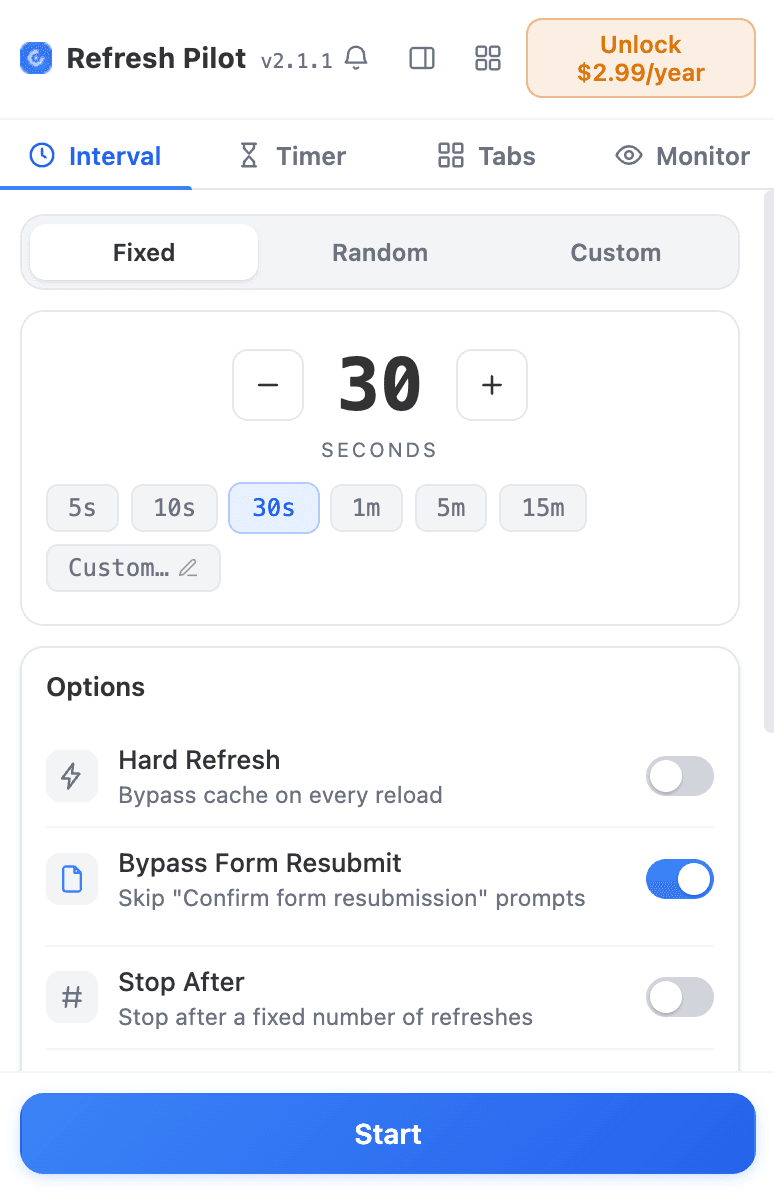
It's in your browser toolbar, at the top. A small panel opens with four speed buttons right in front of you.
5s, 30s, 1m or 10m — click one. The page starts reloading itself right away, and a little countdown shows when the next reload comes.
Click a different speed to go faster or slower, or hit stop when you're done. One click, always.
01 — What it does
Pressing F5 over and over is boring, and you always stop right before the good part happens. Preset intervals do the pressing for you. You pick how often — every 5 seconds if things are moving fast, every 10 minutes if they're slow — and RefreshPilot reloads the page on time, every time, without getting tired.
Which button should you press? Easy: 5 seconds is for "it's happening right now!" moments, like the last minute of an auction. 30 seconds is the favorite — great for waiting on tickets or restocks. 1 minute is for feeds and queues. 10 minutes is for slow stuff you just want to keep an eye on. And every tab gets its own speed, so one tab can sprint while another one strolls.
경매 & 입찰
고객지원 & 티켓 대기열
콘서트 & 이벤트 티켓
FAQ
작동 방식, 무료 범위, PRO로 열리는 기능까지 솔직하게 답해 드립니다. 빠진 내용이 있나요? 영업일 기준 하루 안에 답변해 드려요.
Start with 30 seconds — it's fast enough for almost everything (tickets, restocks, drops) and easy on the website. Go to 5 seconds only for short exciting moments, and 10 minutes for slow, all-day watching.
Yes! Each tab has its own timer. An auction tab can reload every 5 seconds while a job-listings tab reloads every minute. They don't bother each other.
You can type a smaller number in custom intervals, but you almost never need to. Pages need a moment to load, and websites don't like being hammered. If you feel like you need super-speed, Live Detection (which watches the page without reloading) is usually the smarter tool.
시작하기
RefreshPilot이 페이지를 새로고침하고 변화를 지켜보다가 중요한 일이 생기면 알려 드립니다.
무료 플랜 평생 제공 · 카드 등록 불필요 · 첫 모니터 1분 안에 가동