自动刷新 Chrome 标签页
并监控任意网页
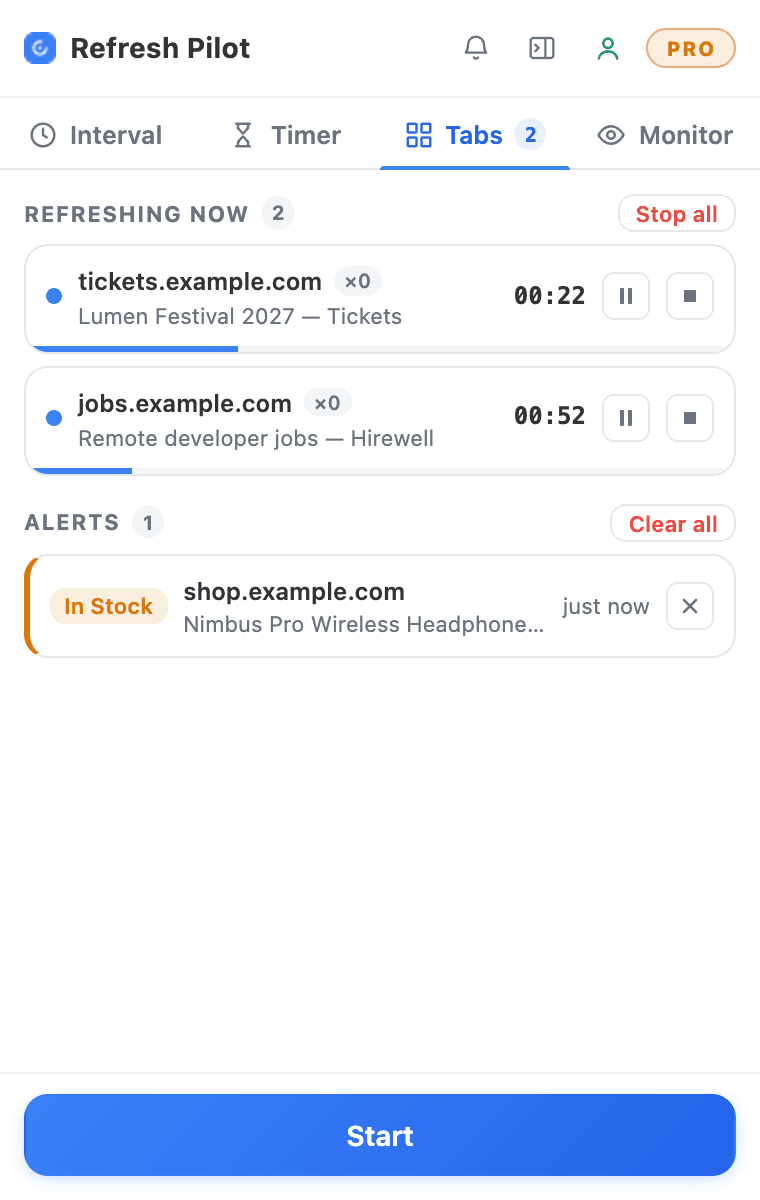
自动重新加载 Chrome 标签页,监控网页变化,追踪关键词,运行自定义自动化脚本,并在找到匹配时即刻收到通知。RefreshPilot 把灵活的自动刷新计时与强大的网页监控、可视倒计时、自动化动作和实时提醒,集成在一个轻量的 Chrome 扩展里。
- 提供免费版
- 云端设置同步
- 支持 Chrome 及 Chromium 浏览器
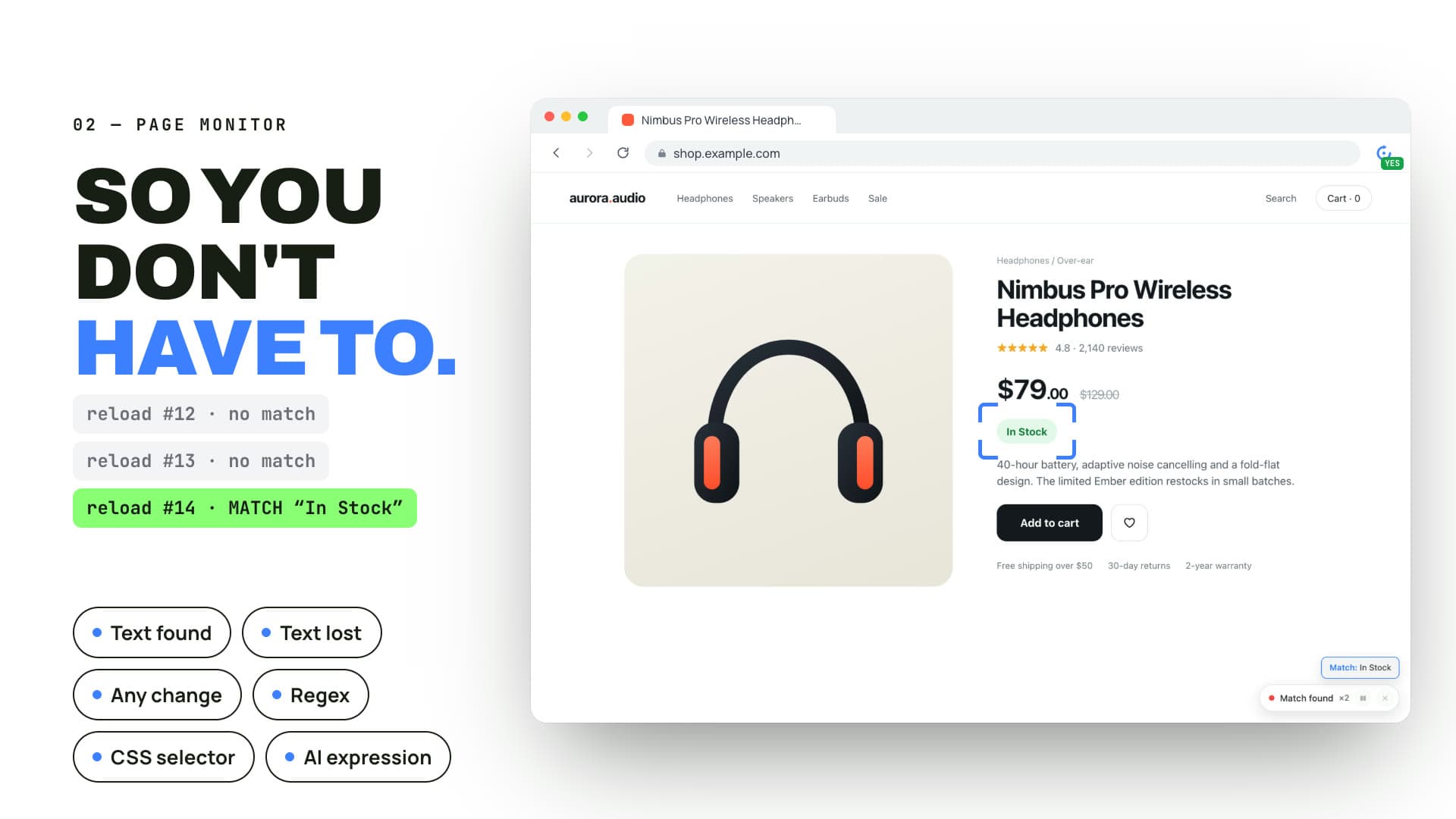
无论是自动刷新实时数据仪表盘、追踪商品补货、蹲守开票、盯住预约页面、关注招聘信息,还是让某个频繁变动的网页始终保持最新,RefreshPilot 都能把这些重复的浏览器操作自动化,你不必再一遍遍手动查看同一个页面。
灵活的刷新计划、关键词监控、变化检测、CSS 选择器、Regex 匹配、自定义 JavaScript,再加上多种通知方式——RefreshPilot 既是一款简单好用的自动刷新扩展,也是一款功能更强的网页监控工具。
自动刷新
简单又聪明的自动刷新方案
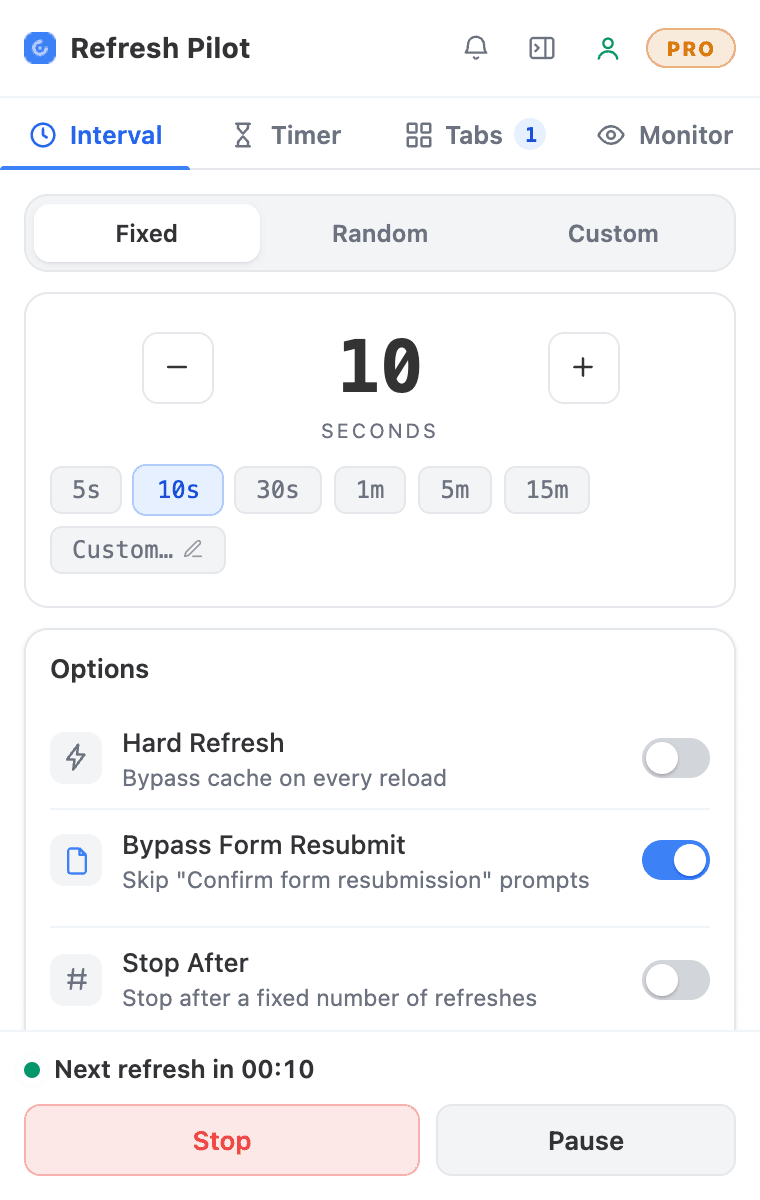
手动刷新同一个网页很容易让人抓狂,尤其是一天里要反复查看的时候。RefreshPilot 让自动刷新变得简单:由你决定 Chrome 标签页何时重新加载、多久加载一次,你只管专心做别的事。
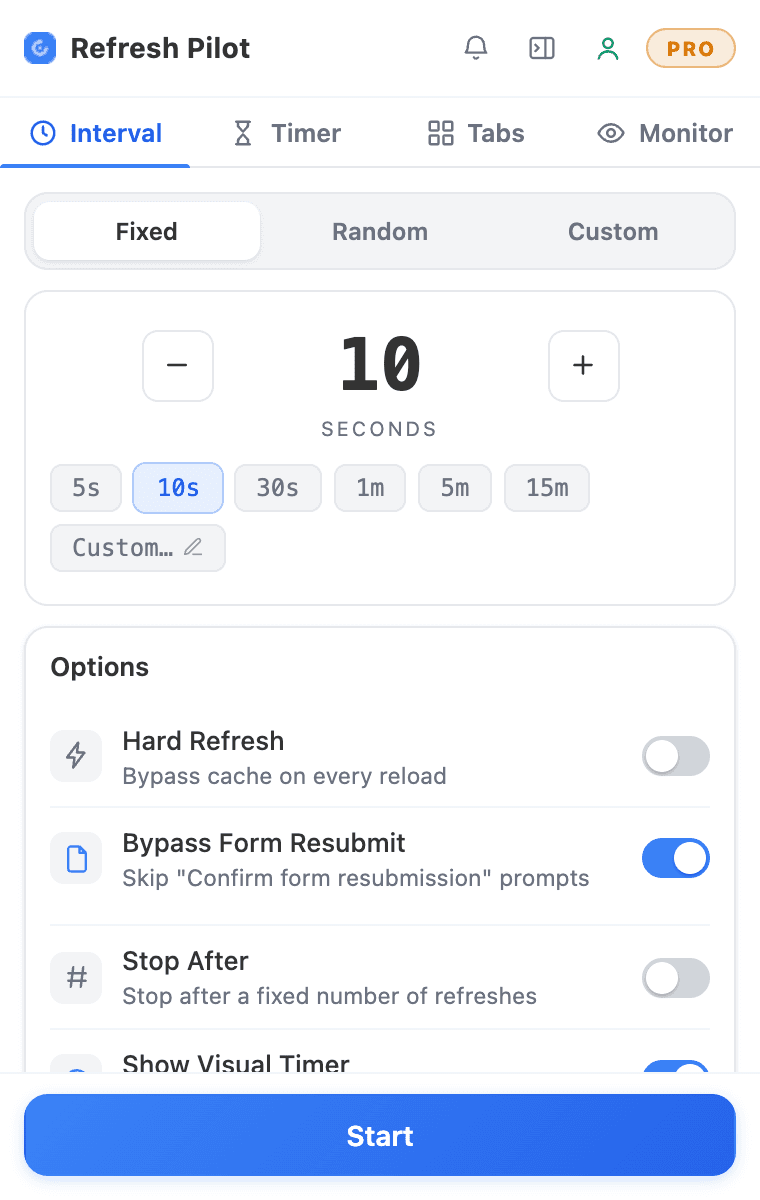
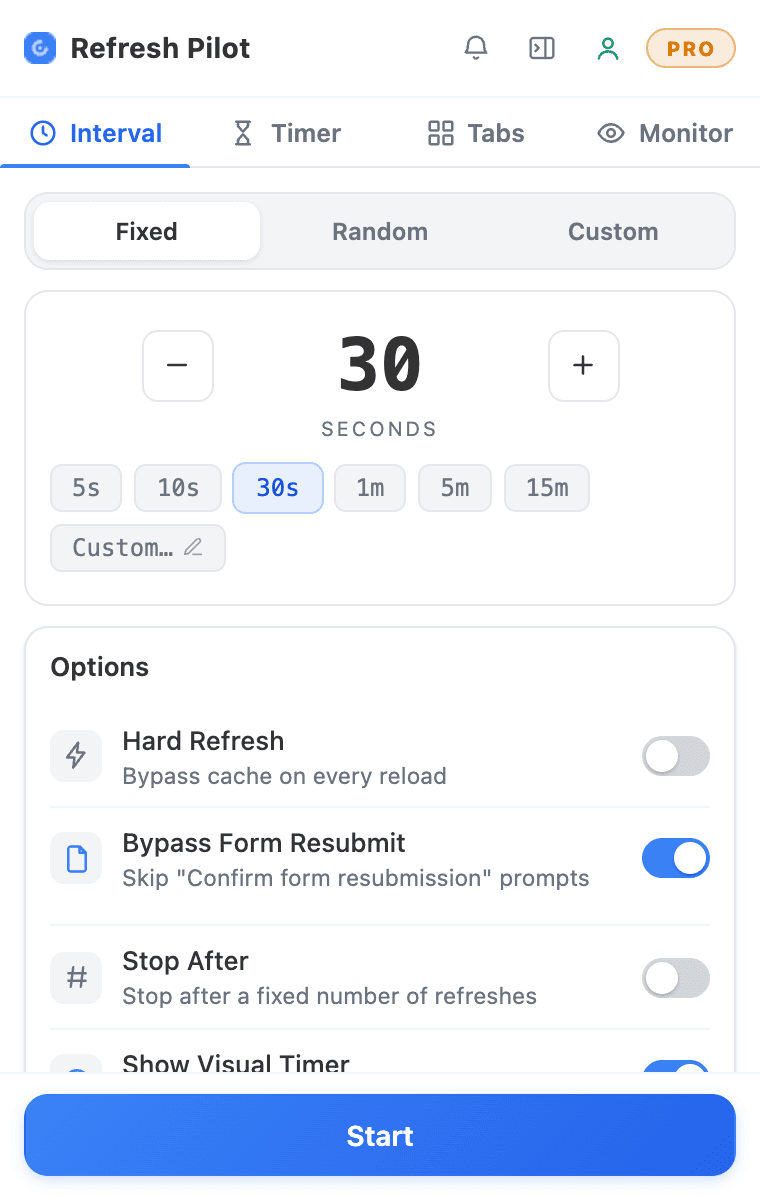
流程简单时,选一个预设间隔就能开始刷新。你可以选 5 秒、10 秒这样的短间隔,也可以选 1 分钟、5 分钟这样的长间隔,或者按自己的需要创建自定义计划。想要更灵活,还可以使用随机间隔,让刷新时间在你选定的范围内变化。
如果只是重新加载页面还不够,自动刷新还可以与网页监控搭配使用。监控特定的词语、短语、页面区域或受支持的网页变化,当你等待的信息出现、消失或发生改变时,就会收到提醒。
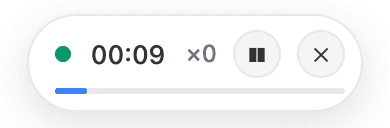
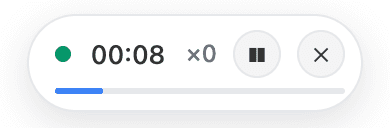
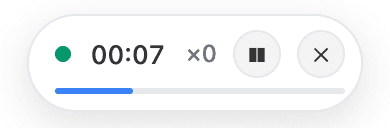
 00:0600:0900:0800:0700:0600:0500:0400:03

刷新控制
自动刷新标签页所需的一切
灵活的时间间隔与智能刷新
预设与自定义计划
精确掌控网页重新加载的频率。RefreshPilot 为常见任务准备了方便的预设刷新间隔,也支持你自行配置时间。
无论你需要 Chrome 每隔几秒、每分钟、每隔几分钟自动刷新一次,还是按某个特定的自定义计划刷新,都可以把刷新周期调整到贴合你的工作流程。
随机间隔
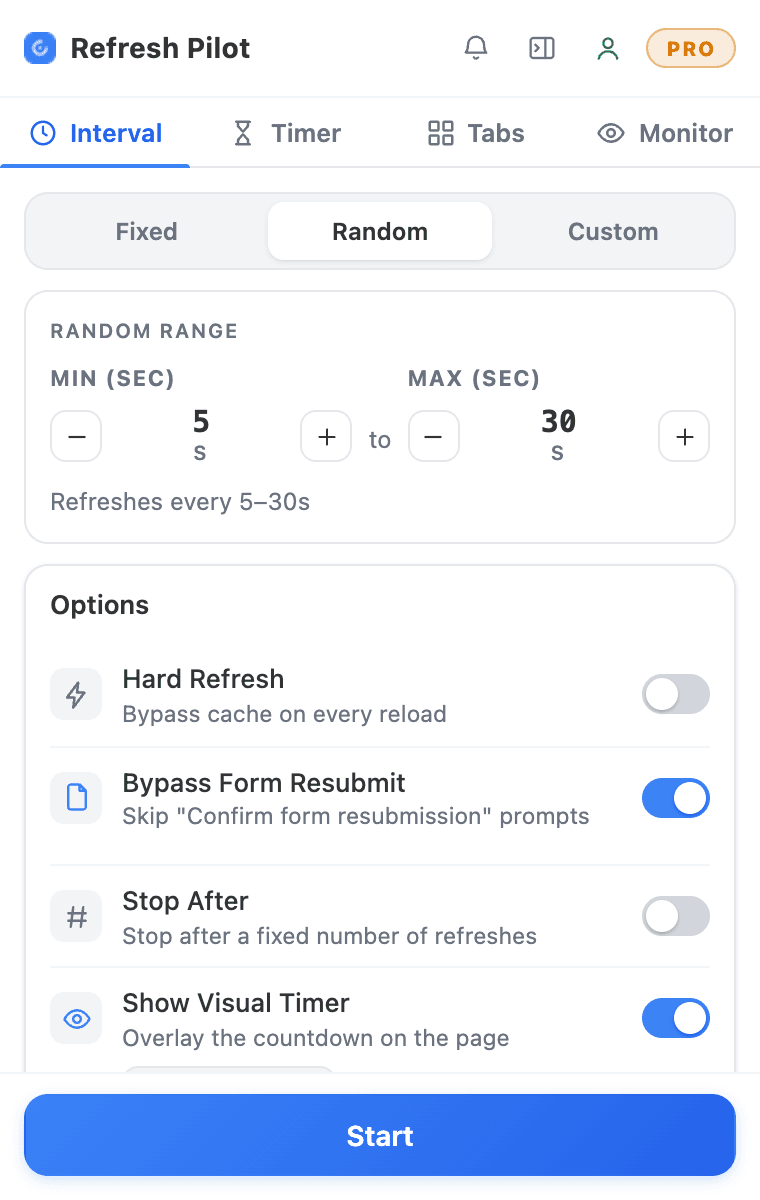
固定的刷新计划并不总是最佳选择。RefreshPilot 允许你设置最小和最大间隔,让每次页面重新加载之间的时间在你选定的范围内变化。
当你不需要一成不变的刷新周期时,这能带来更大的灵活性,让自动刷新计划更富变化。
强制刷新
普通的重新加载有时显示的是缓存内容,而不是页面的最新内容。RefreshPilot 为受支持的工作流程提供强制刷新选项,在你需要时直接向服务器请求最新内容。
在自动刷新的过程中监控频繁变动的仪表盘、商品库存、价格、状态页、票务信息,或其他对时效性要求很高的网页时,这一功能尤其有用。
自动恢复滚动位置
刷新一个很长的网页,往往会让你回到页面顶部。RefreshPilot 可以在受支持的重新加载之后恢复你之前的滚动位置,让长时间运行的自动刷新用起来更顺手。
错误检测与处理
RefreshPilot 可以检测受支持的网页错误,包括部分 4xx、5xx 响应以及超时情况。根据你的配置,检测到错误时可以暂停流程,或触发提醒。
对于偶尔会无法访问的页面,这让你在使用自动刷新扩展时拥有更多掌控。
页面监控
智能页面与关键词监控
如果只是需要网页重新加载,自动刷新页面就够用了;但很多监控任务需要的是:某项具体内容发生变化时,你能第一时间知道。
RefreshPilot 把自动刷新与网页监控结合在一起,持续替你检查特定信息,你不必在每次重新加载后手动把整个页面再看一遍。


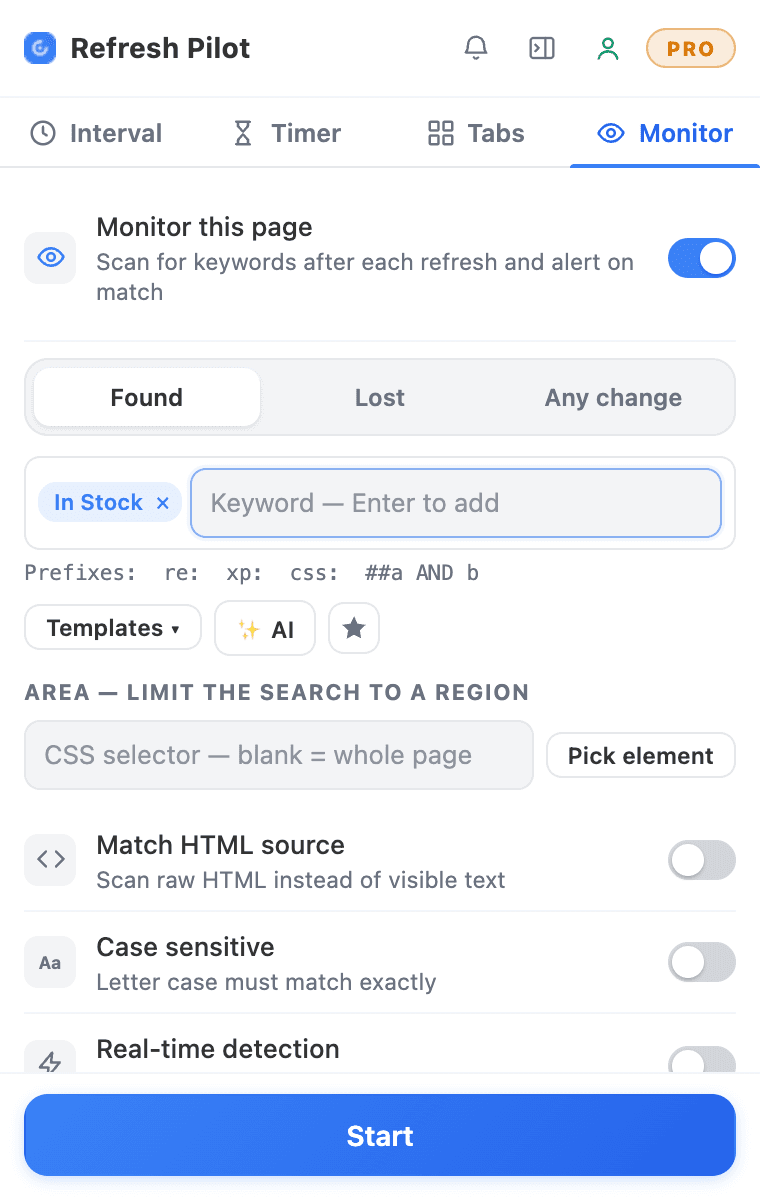
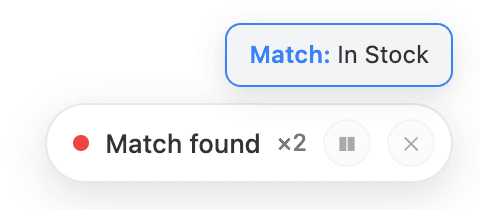
文本出现 / 消失
监控某个特定的词语或短语,并让 RefreshPilot 在目标文本出现或消失时作出反应。
你可以监控“有货”“有余票”“可预约”这样的短语,也可以监控商品名称、职位名称、价格、状态更新,或监控系统支持的任何其他相关文本。
页面会自动刷新,RefreshPilot 则在每个监控周期中检查你设定的条件。
内容变化检测
并非每一次重要更新都能靠某个特定关键词来识别。RefreshPilot 可以监控受支持的网页内容,并检测两次刷新之间的变化。
当你知道页面上会有变化、却不确定新的文字具体是什么时,这个功能就派上用场了。配合 Chrome 自动刷新,整个监控过程无需人工查看即可持续进行。
指定区域监控
如果你只关心网页的某一部分,可以把监控集中在特定区域,而不必检查整个页面。
使用 #price、.stock-status 或 #product-status 这样的 CSS 选择器来定位相关区域,让自动刷新与监控更有针对性,也更高效。
实时监控
把自动刷新与受支持的动态内容监控结合起来,即使网页无需完整重新加载就会更新信息,你也能持续跟踪。
动作与提醒
自动化动作与多渠道提醒
刷新和监控页面只是整个流程的一部分。检测到你设定的监控条件时,RefreshPilot 还能执行受支持的动作。
自动点击元素
当匹配的元素出现在页面上时,自动点击受支持的按钮或链接。在检测到监控条件后,这有助于把重复的交互操作自动化。
聚焦标签页
RefreshPilot 检测到匹配时,可以把对应的 Chrome 标签页切到最前,让你立刻看到页面并对更新作出反应。
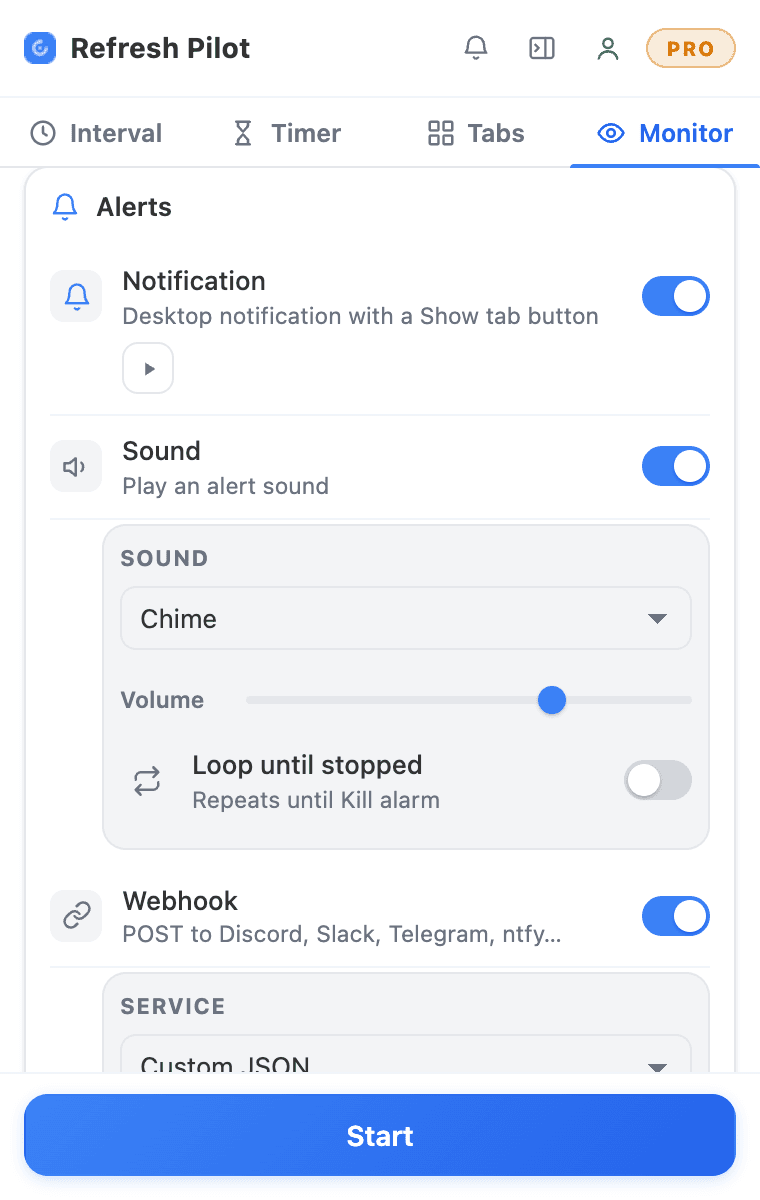
即时提醒
不必一直盯着浏览器,也能随时掌握动态。
RefreshPilot 支持多种提醒方式,包括桌面通知、声音提醒、邮件通知和 Webhook。你可以选择最适合自己工作流程的通知方式。
脚本
自定义 JavaScript 脚本与脚本市场
RefreshPilot 不止于基础的自动刷新功能。进阶用户可以用脚本自动执行受支持的浏览器操作,打造更个性化的工作流程。
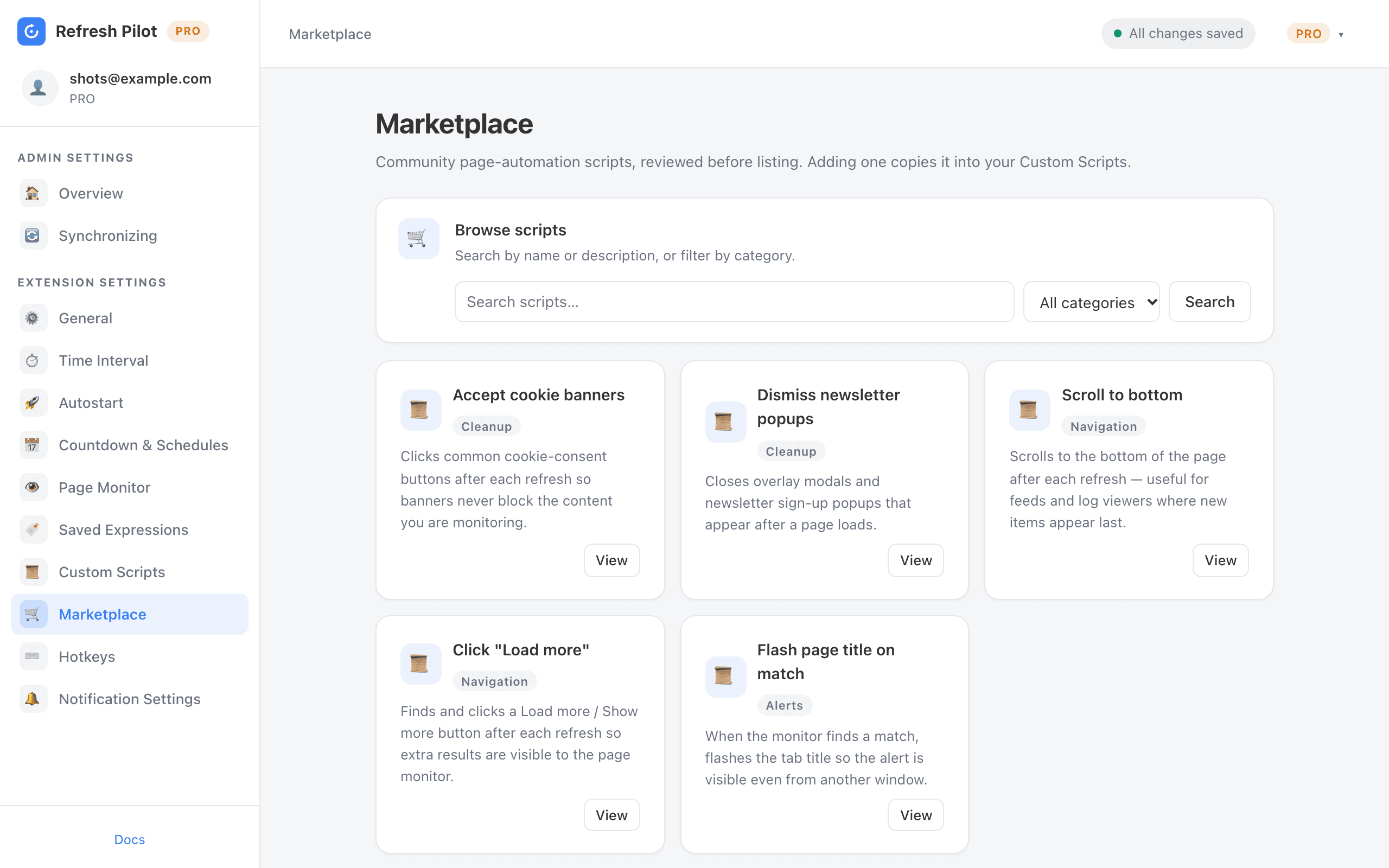
脚本市场
常见的浏览器任务都有现成的自动化脚本可用,比如滚动到页面底部、关闭订阅弹窗、接受 Cookie 横幅,或点击“加载更多”。
当你需要在使用自动刷新扩展的同时反复执行同一个浏览器操作时,这些现成脚本能帮你省下不少时间。
运行自定义代码
在工作流程中受支持的节点运行自定义 JavaScript 脚本,包括页面加载之后、刷新之前,或检测到监控条件时。
这让进阶用户能够更细致地控制 Chrome 自动刷新流程与受支持的网页元素之间的交互方式。
AI 脚本生成器
你也可以用日常语言描述想要的浏览器自动化操作,让 AI 脚本生成器帮你生成自定义 JavaScript 脚本。
不必亲手编写自动化逻辑,只需说明你希望浏览器做什么,让 AI 帮你写出脚本。
工作原理
4 步轻松上手 RefreshPilot
1. 安装扩展
把 RefreshPilot 添加至 Chrome,然后打开你想刷新或监控的网页。
2. 设置刷新间隔
按你的需要选择预设间隔、创建自定义计划,或配置随机间隔。
3. 配置页面监控
如果你在等待某项特定内容,可以添加关键词、Regex 表达式、CSS 选择器,或受支持的网页变化条件。
4. 开启提醒并开始
选择你偏好的提醒方式,配置需要的自动化动作,然后点击“开始”。RefreshPilot 会按照你的设置完成自动刷新和监控。
对比
RefreshPilot vs 手动刷新
只是偶尔需要重新加载网页时,手动按 F5 就够了。但反复刷新页面、查看有没有变化,既枯燥又耗时。
有了 RefreshPilot,自动刷新流程只需配置一次,自动重新加载就能与监控、提醒和受支持的浏览器自动化结合起来。
| 功能 / 能力 | RefreshPilot | 手动刷新 |
|---|---|---|
| 按计划自动刷新 | 支持 | 不支持 |
| 自定义刷新间隔 | 支持 | 不支持 |
| 随机间隔 | 支持 | 不支持 |
| 页面可视倒计时 | 支持 | 不支持 |
| 强制刷新 | 支持 | 手动 |
| 关键词监控 | 支持 | 不支持 |
| Regex 监控 | 支持 | 不支持 |
| CSS 选择器监控 | 支持 | 不支持 |
| 页面变化检测 | 支持 | 不支持 |
| 自动点击匹配元素 | 支持 | 不支持 |
| 桌面通知 | 支持 | 不支持 |
| 邮件提醒 | 支持 | 不支持 |
| Webhook | 支持 | 不支持 |
| 自定义脚本自动化 | 支持 | 不支持 |
| 云端设置同步 | 支持 | 不支持 |
使用 RefreshPilot,Chrome 自动刷新流程只需创建一次,不必再亲自反复查看、重新加载同一个页面。
使用场景
自动刷新能用在哪些地方?
在许多不同的场景中,RefreshPilot 都能帮你把重复的网页查看自动化。
人人适用
简单刷新与高级监控,一应俱全
RefreshPilot 既面向只需要简单刷新页面的用户,也面向需要更高级浏览器自动化的用户。
简单的自动刷新
选一个间隔就能开始刷新。基础的页面重新加载不需要任何复杂配置。
无论是自动刷新单个网页,还是维持一个长时间运行的监控流程,RefreshPilot 都为受支持的 Chrome 工作流程提供灵活的控制。
高级监控
把自动刷新与关键词监控、Regex、CSS 选择器、变化检测、监控区域、通知、邮件提醒、Webhook 以及受支持的自动化动作结合起来。
日常工作流
融入日常工作的 Chrome 自动刷新
RefreshPilot 的设计初衷,就是把重复的浏览器操作从你的日常工作中拿掉。
不必再这样:
打开页面 → 刷新 → 查看 → 刷新 → 查看 → 重复
你可以这样设置:
设置刷新 → 监控 → 等待 → 收到提醒
这种方式让自动刷新既适合简单的页面重新加载,也适合高级的网页监控。你可以配置刷新时间、定义哪些信息重要,并在检测到设定的条件时收到提醒。
无论你是需要一款用于单个页面的基础 Chrome 自动刷新扩展,还是需要跨多个标签页的高级监控流程,RefreshPilot 都提供可配置的工具,帮你把重复的浏览器操作自动化。
免费版
免费的 Chrome 自动刷新扩展
从免费版开始使用 RefreshPilot,把日常的网页刷新自动化,不必再亲自一遍遍按刷新按钮。
这款 Chrome 自动刷新扩展可以只做简单的页面重新加载;需要更高级的流程时,也可以把刷新与关键词监控、变化检测、通知以及受支持的自动化功能结合起来。
- 免费版
- 轻松设置
- 无需信用卡
如何在 Chrome 中自动刷新页面?
安装 RefreshPilot,打开想要刷新的网页,选择你想要的刷新间隔,然后点击“开始”。扩展会按照你选定的计划自动重新加载页面。
如何让 Chrome 页面每 5 秒自动刷新一次?
在想要刷新的网页上打开 RefreshPilot,选择 5 秒间隔,然后开始运行,RefreshPilot 就会自动完成反复的页面重新加载。
可以设置自定义的自动刷新间隔吗?
可以。RefreshPilot 支持自定义时间,你可以按自己的具体需求创建刷新计划。
可以用随机间隔代替固定计划吗?
可以。选择“随机”间隔选项,然后为刷新流程设置最小值和最大值范围。
可以监控网页上的关键词吗?
可以。添加你想监控的词语或短语,RefreshPilot 会在每个自动刷新周期中检查网页。
可以只监控网页的某个特定区域吗?
可以。你可以使用受支持的 CSS 选择器,把监控集中在网页的特定区域,而不是监控整个页面。
RefreshPilot 能检测网页变化吗?
能。RefreshPilot 支持网页变化监控,可以在刷新和监控过程中检测受支持的变化。
按钮出现时,RefreshPilot 能自动点击吗?
能。检测到设定的条件时,受支持的自动点击功能可以自动点击匹配的按钮或链接。
网站发生变化时,我能收到提醒吗?
能。根据你的配置,RefreshPilot 支持桌面通知、声音提醒、邮件通知和 Webhook。
RefreshPilot 可以用来盯商品补货或余票吗?
可以。你可以把自动刷新与关键词监控或网页监控结合起来,留意受支持的商品、票务或库存页面上的相关变化。
RefreshPilot 支持 Chrome 吗?
支持。RefreshPilot 专为 Chrome 和基于 Chromium 的浏览器设计。
开始使用
开始自动刷新并监控网页
别再一遍遍按刷新、反复查看同一个网页了。
RefreshPilot 让你自动刷新 Chrome 标签页、监控网页上的关键词与变化、自动执行受支持的浏览器操作,并在重要的事情发生时收到提醒。
无论你监控的是商品库存、票务页面、预约系统、仪表盘、价格、招聘信息,还是其他频繁更新的网页,RefreshPilot 都能把重复的浏览器查看变成一套自动化流程。
- 无需信用卡
- 即装即用
- 提供免费版和 PRO 版